Creative template
The feature enhances template usage, streamlining the process of building ad campaigns.
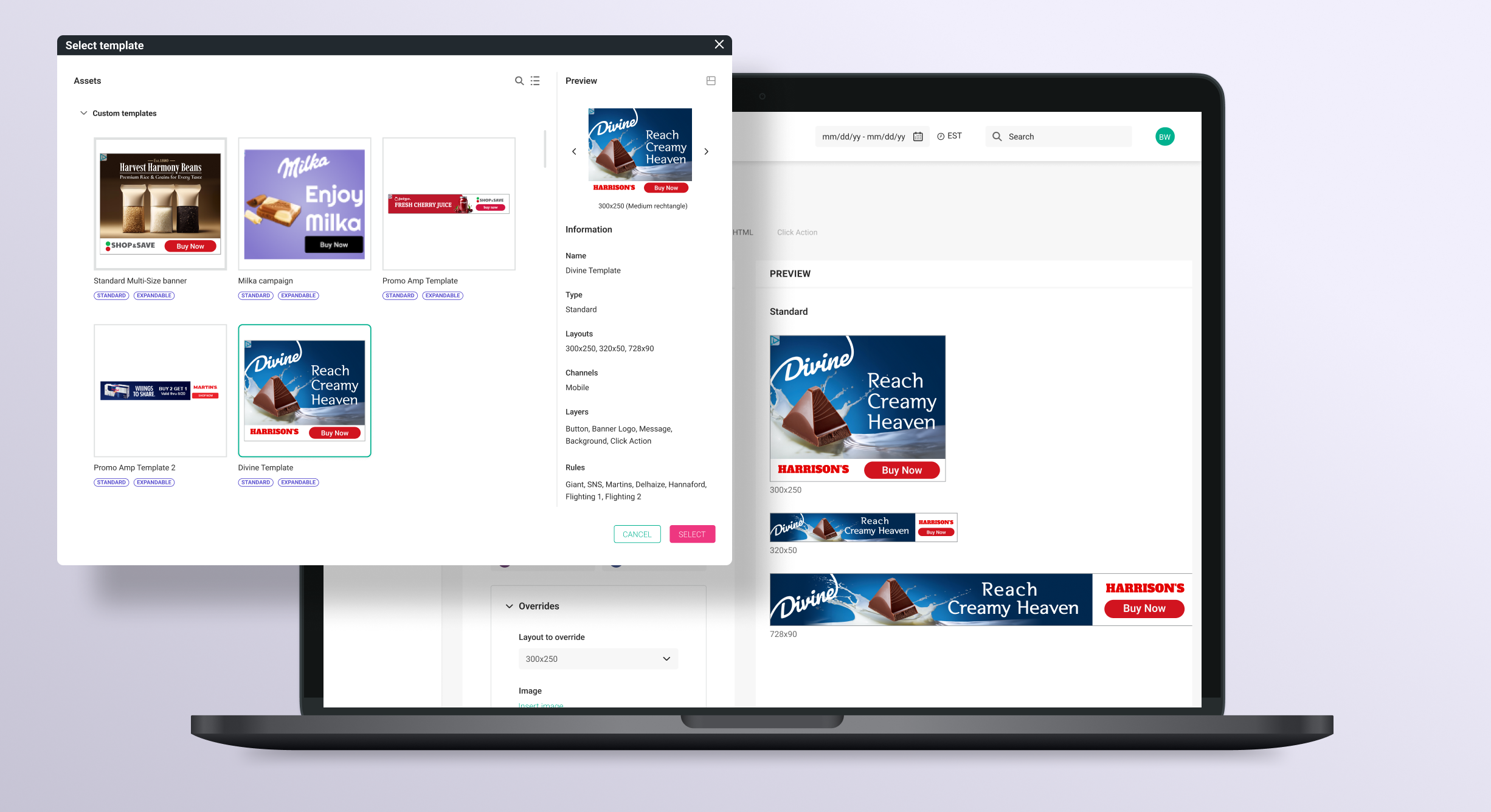
Creative teams spend significant time recreating similar campaigns because the Creative Builder does not allow users to duplicate the creative collections from one campaign to another.
Enabling the creative builder to save creative collections as templates would facilitate the reuse of these assets across multiple campaigns.
The Creative Builder is a tool within the Quotient Media Platform designed to assist advertisers in crafting and managing marketing campaigns across different channels to engage customers at various points in their purchasing journey. It provides opportunities for advertising online, on social media, digital billboards, and even within online stores, all aimed at increasing sales and improving brand reputation in a measurable way.
What is Creative Builder?
Creative Builder was developed to support creative services teams by streamlining the process of creating multiple variations of advertisements using templates. Each ad creative can be customized based on factors like creative sizes, copy, and retailer logos. With the Creative Builder tool, creative teams can quickly generate numerous variations of creatives, send them for approval to the customer, and publish them.
Used by Quotient Creative service Team and Quotient campaign planners.
- –Supports creative services teams by streamlining the process of creating multiple variations of advertisements using templates.
- –Allows customization based on factors like creative sizes, copy, and retailer logos.
- –Enables quick generation of numerous ad variations.
- –Facilitates sending creatives for customer approval and publishing them.
A large percentage of different ad campaigns use similar layouts and designs, as demonstrated in the example below.
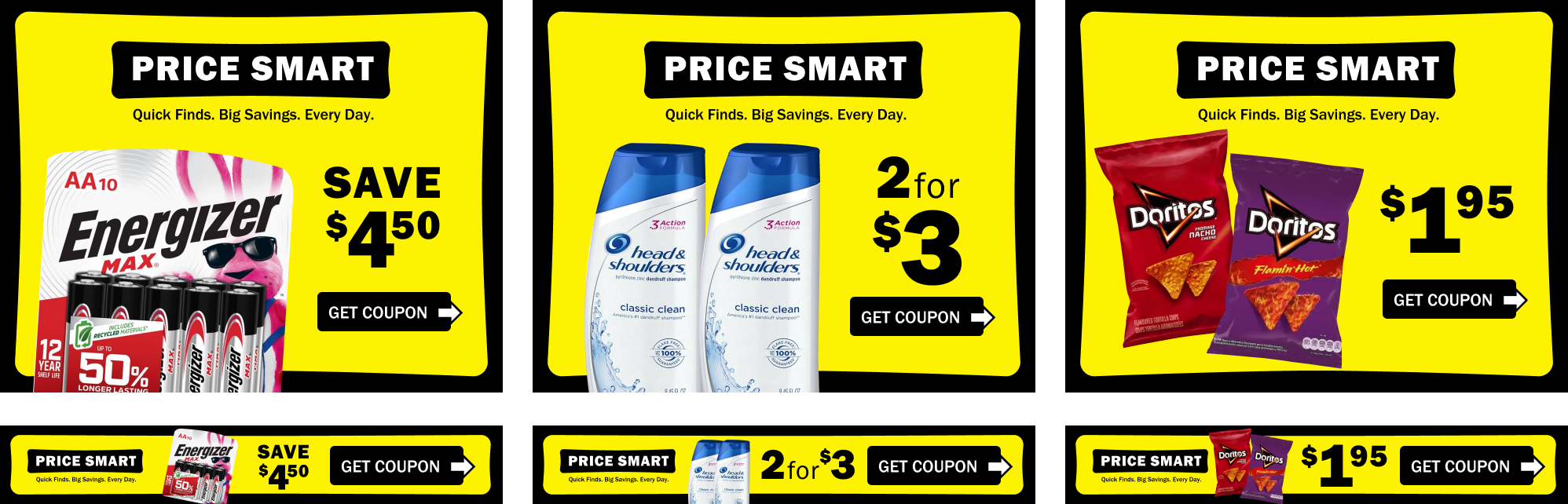
Creative teams spend significant time recreating similar campaigns because the Creative Builder does not allow users to duplicate the creative collections from one campaign to another.
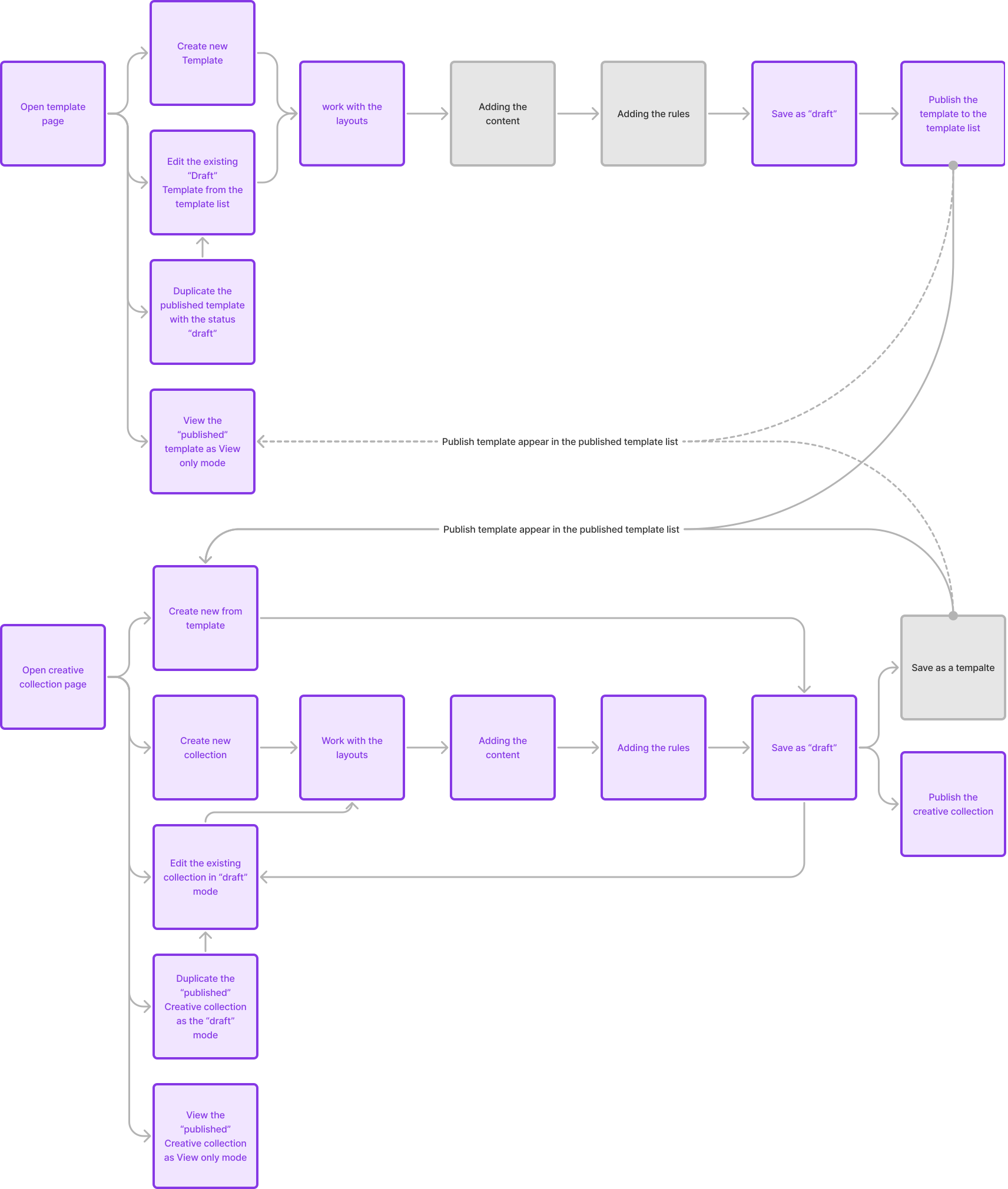
Creative Builder is built from two parts: Creative builder and Template builder.
The creative builder have ability to work with a content and rules but can be used only in one campaign and cant be copied to another.
The template builder was build to help to create templates for creative collections. The templates can be used in multiple campaigns but not allow to use content and rules.
The solution involves empowering the templates to support all functionalities of the creative builder, including the ability to work with content and rules.
Additionally, enabling the creative builder to save creative collections as templates would facilitate the reuse of these assets across multiple campaigns.
Workflow analysis
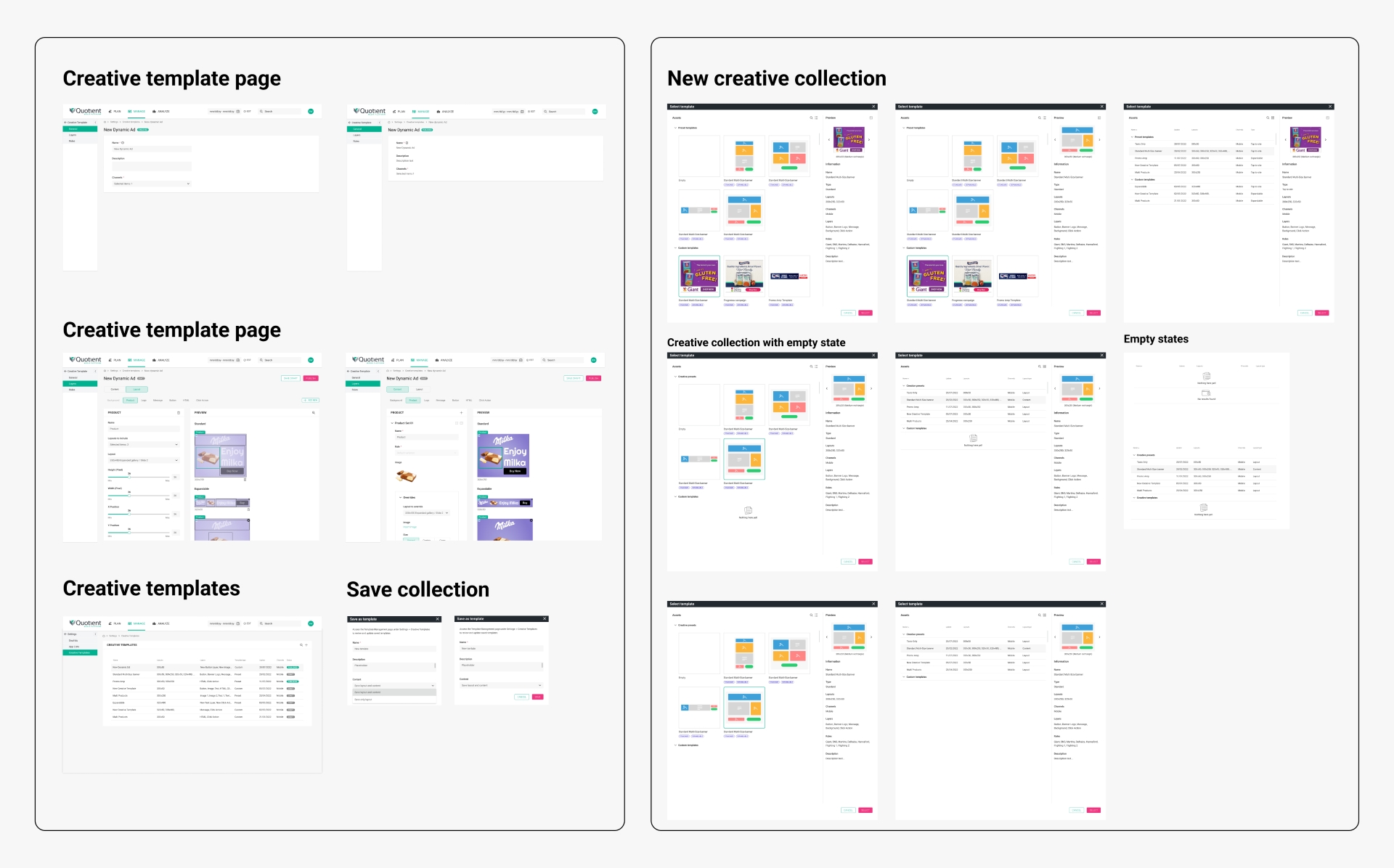
To get started, I mapped out the current workflow to understand how the proposed changes could impact it.
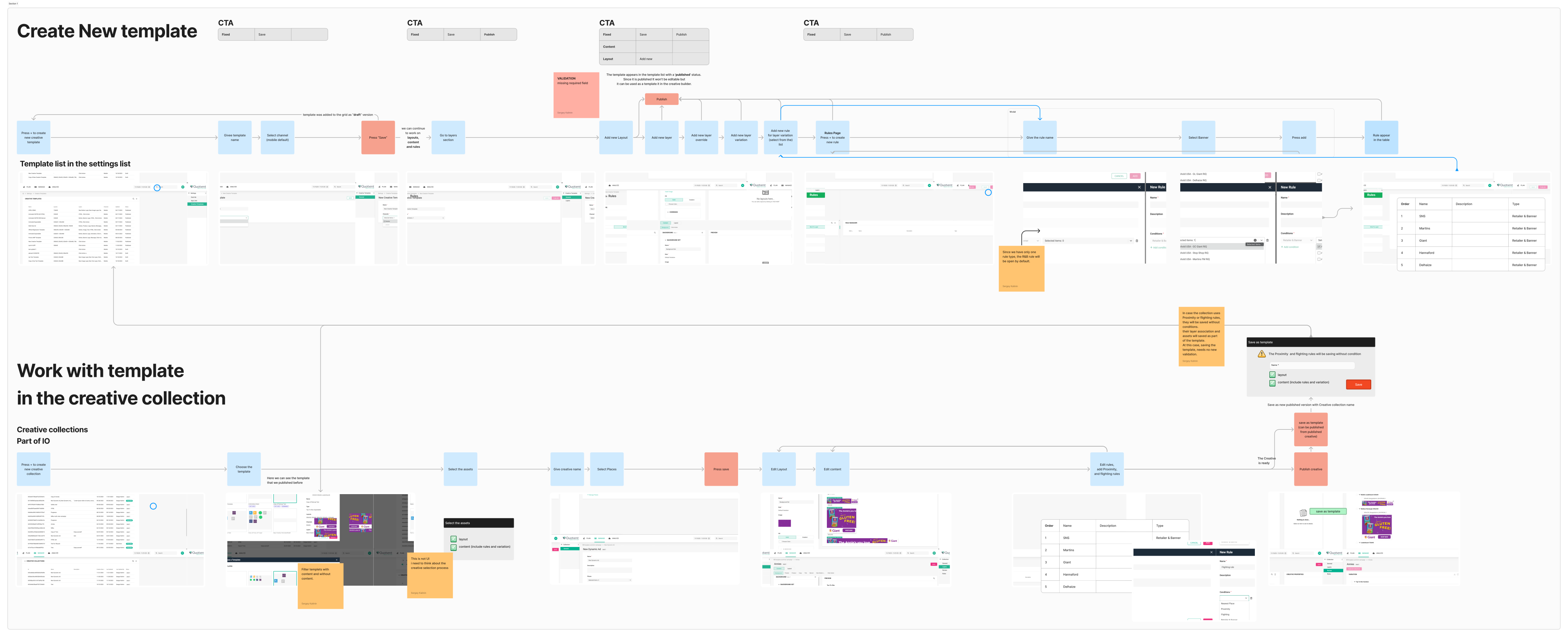
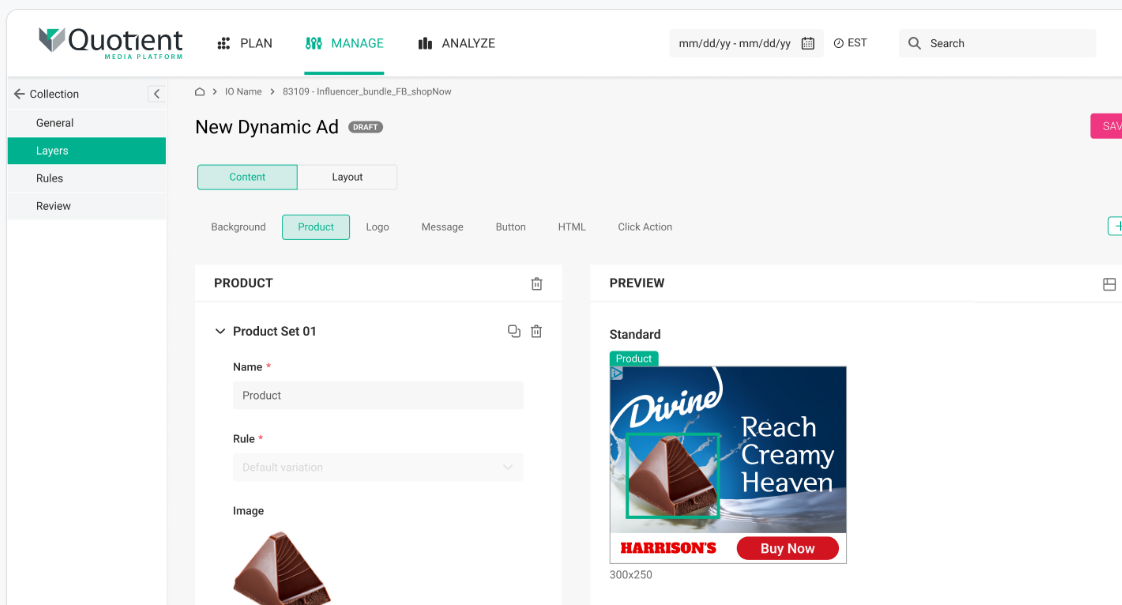
To see how these changes would affect the user interface (UI), I went back to the workflow map and added screenshots from each step. Then, I shared this detailed scheme with the project manager (PM) and stakeholders for review.
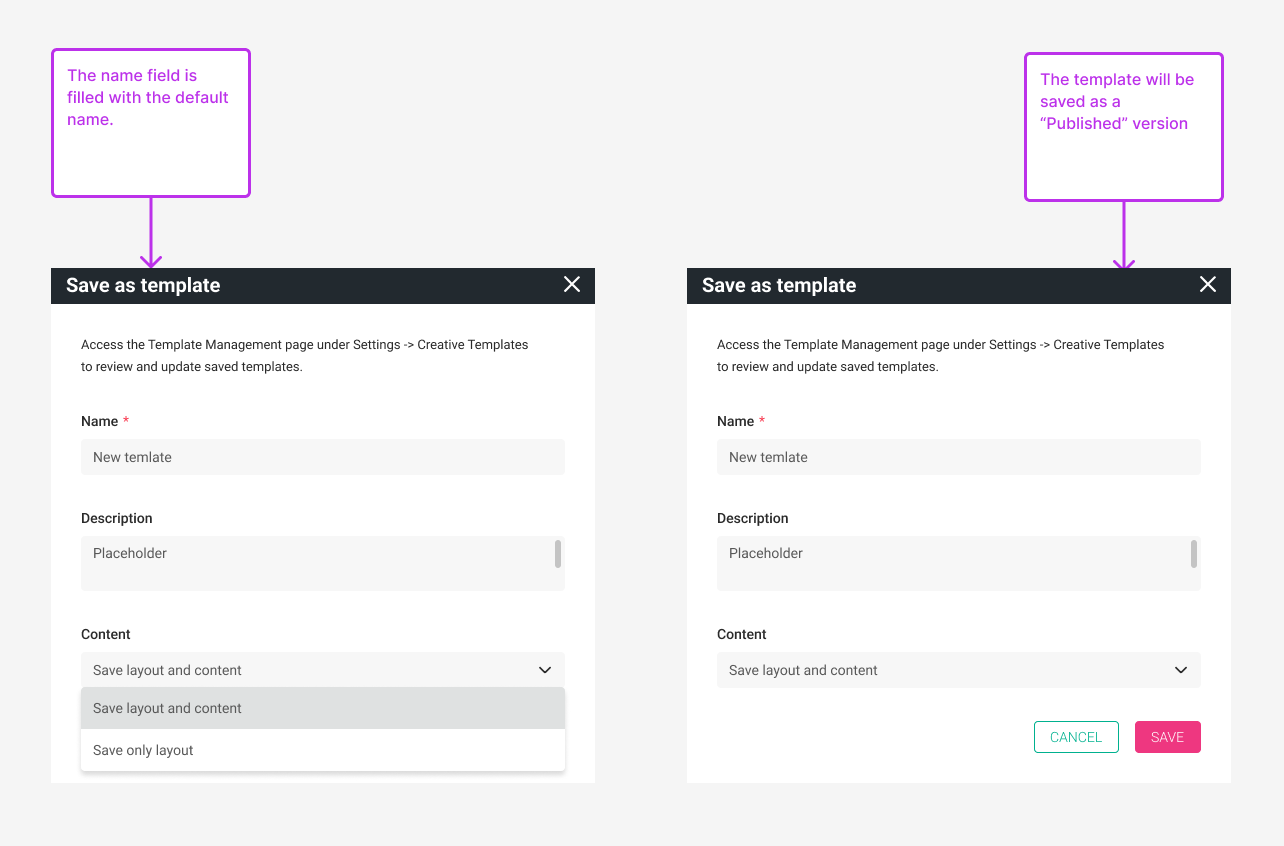
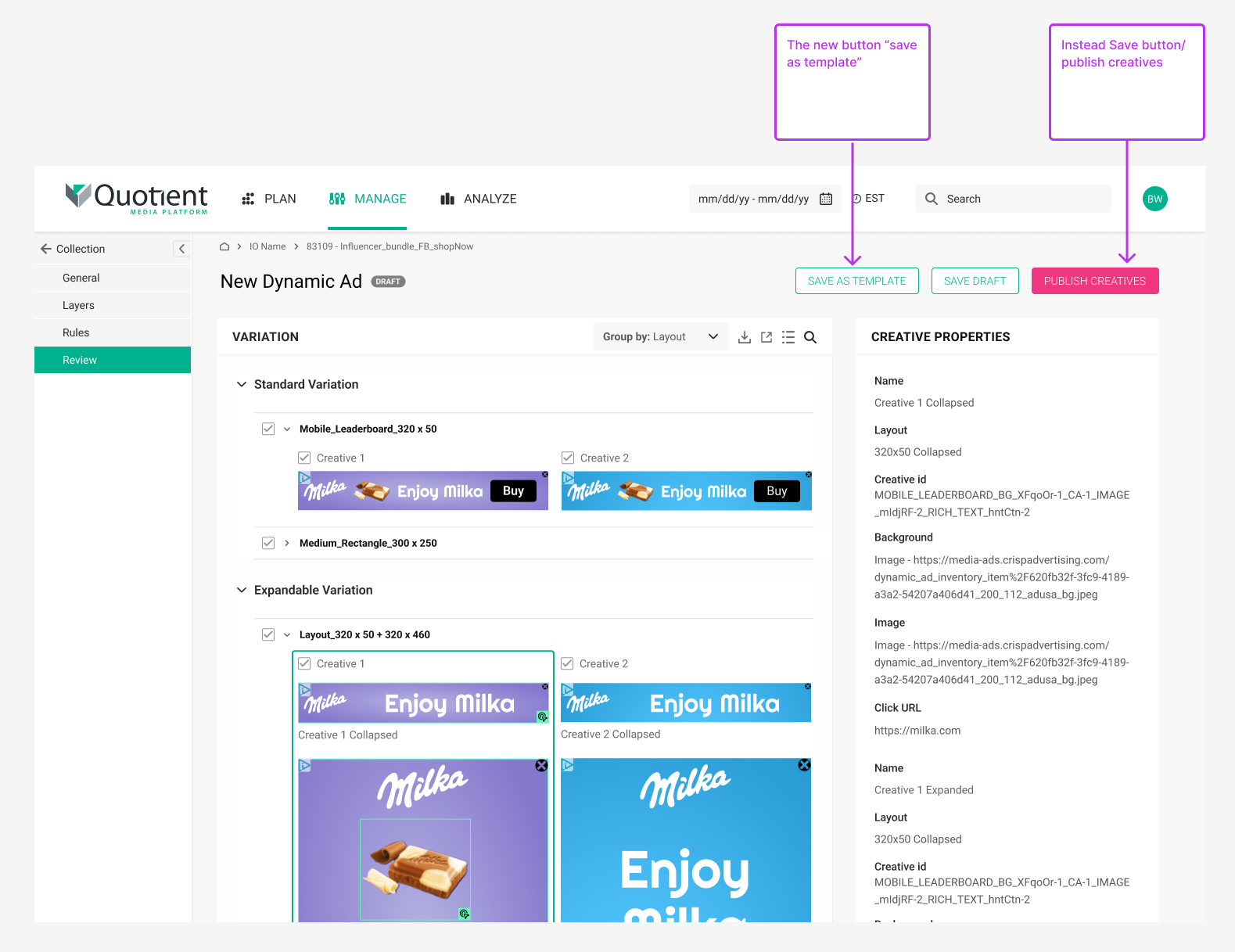
Introduce a modal screen for saving templates, allowing users to configure template settings. Users can input a template name and choose whether to save the template with layouts only or with content and rules included.
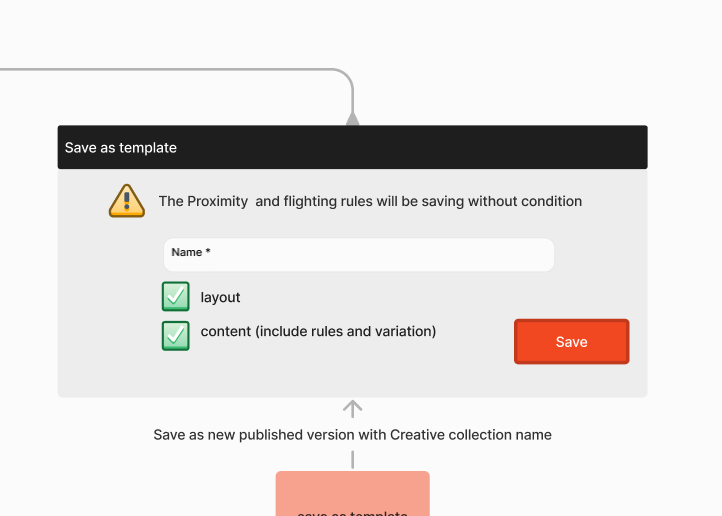
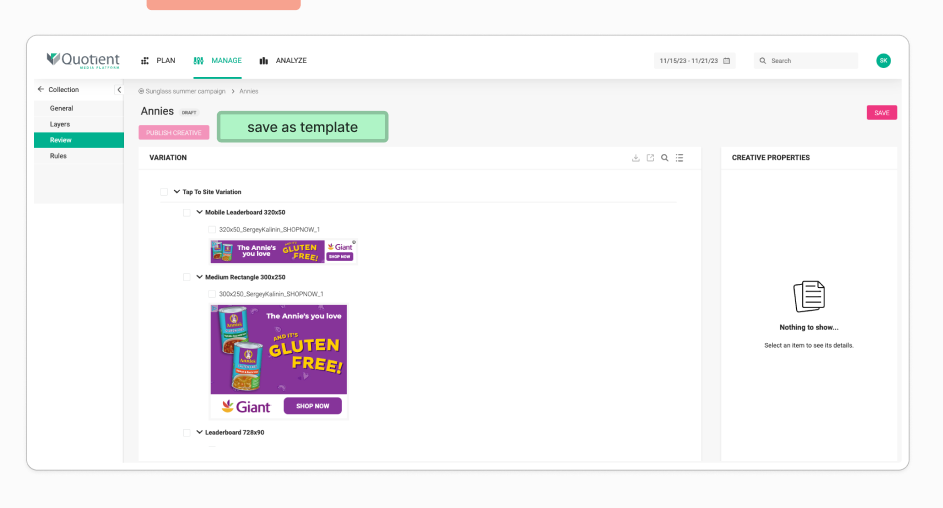
Incorporate a “Save as Template” button on the review page.
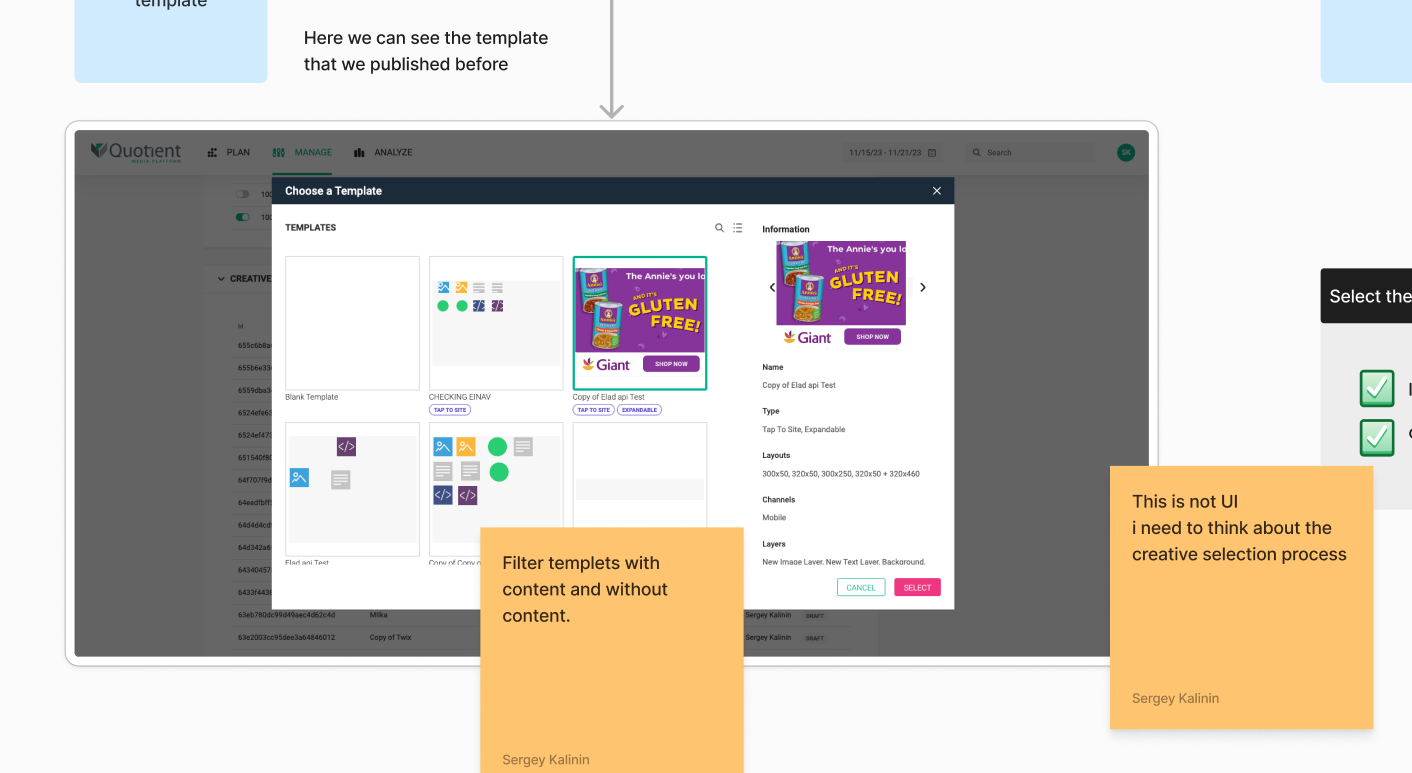
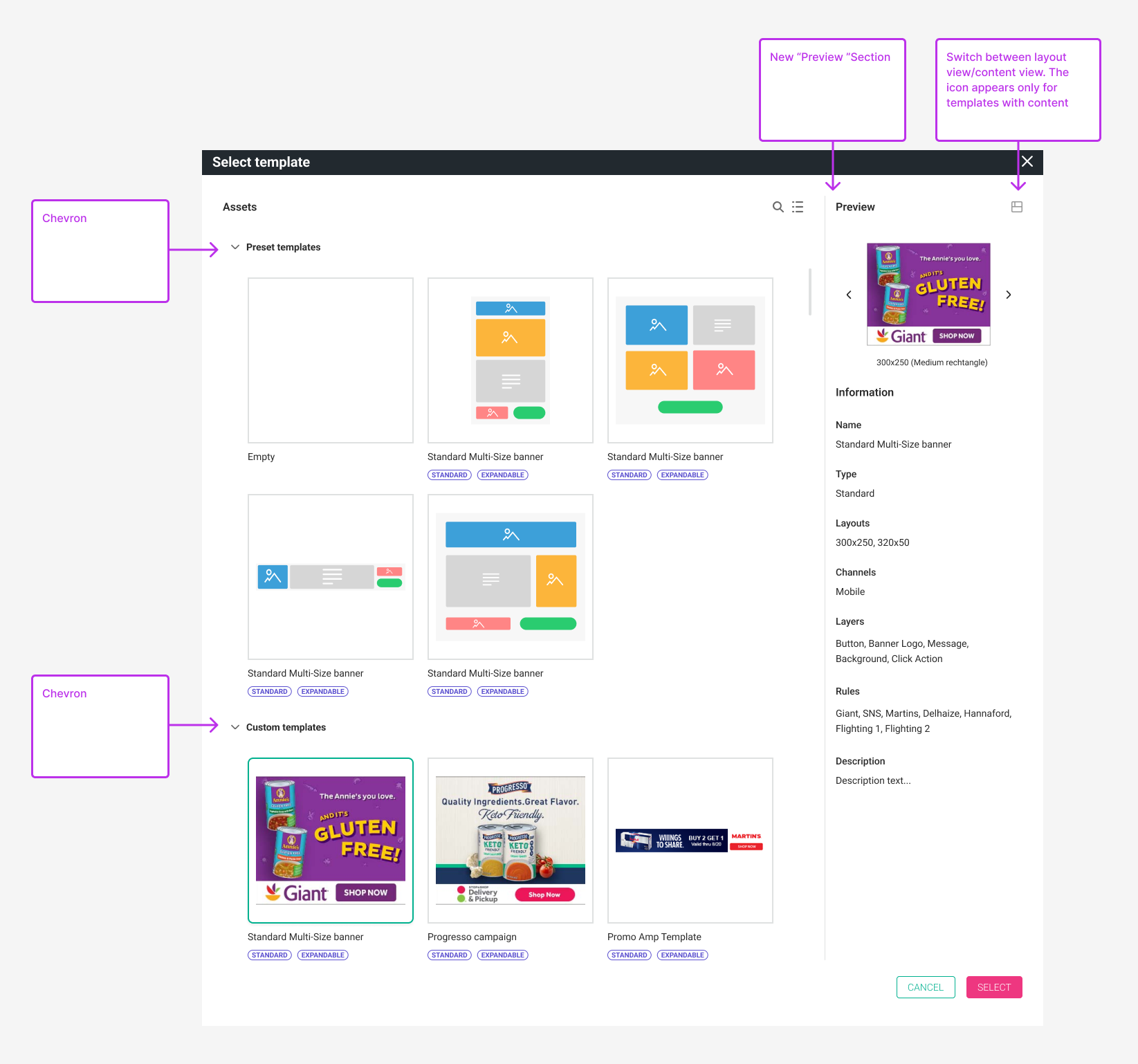
Implement a feature to display template previews.
Modal Screen for Saving the Template:
The addition of the “Save as Template” button:
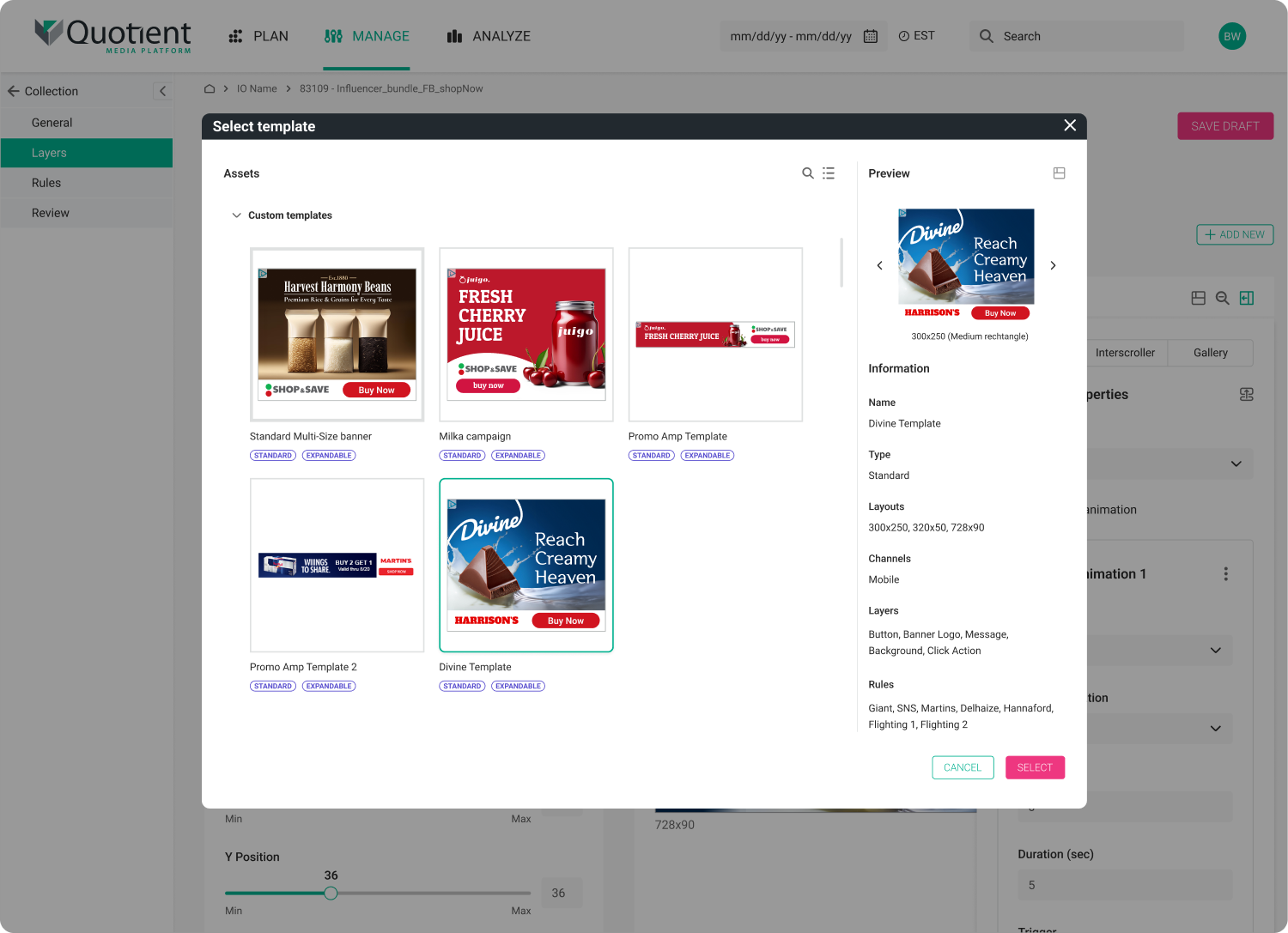
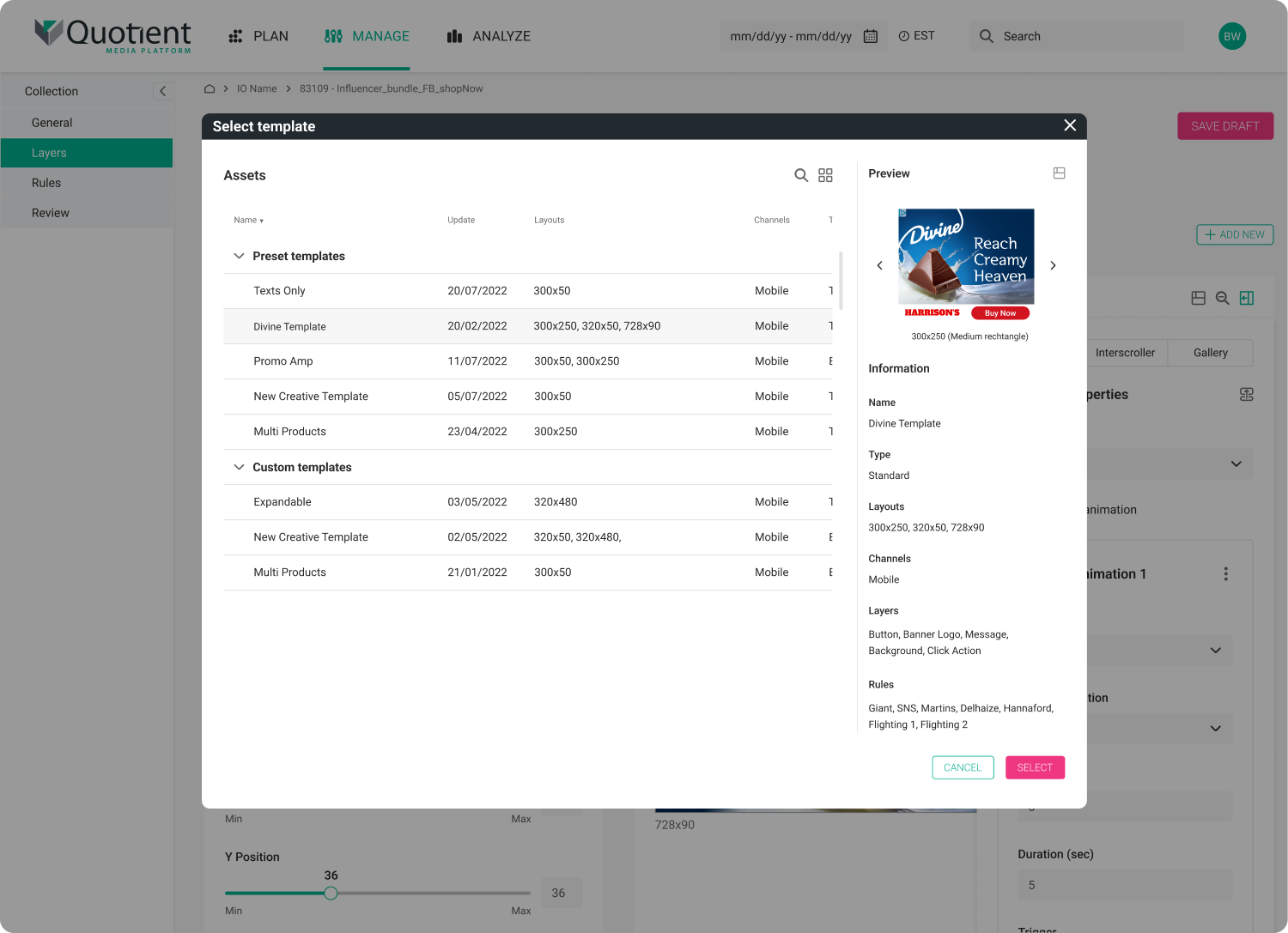
The window where users select the template now separated by types:
Default presets where users can select common layouts.
Where all templates saved by users appear.
The preview section also received an update. An icon has been added next to the title to toggle between the layout view and design view.
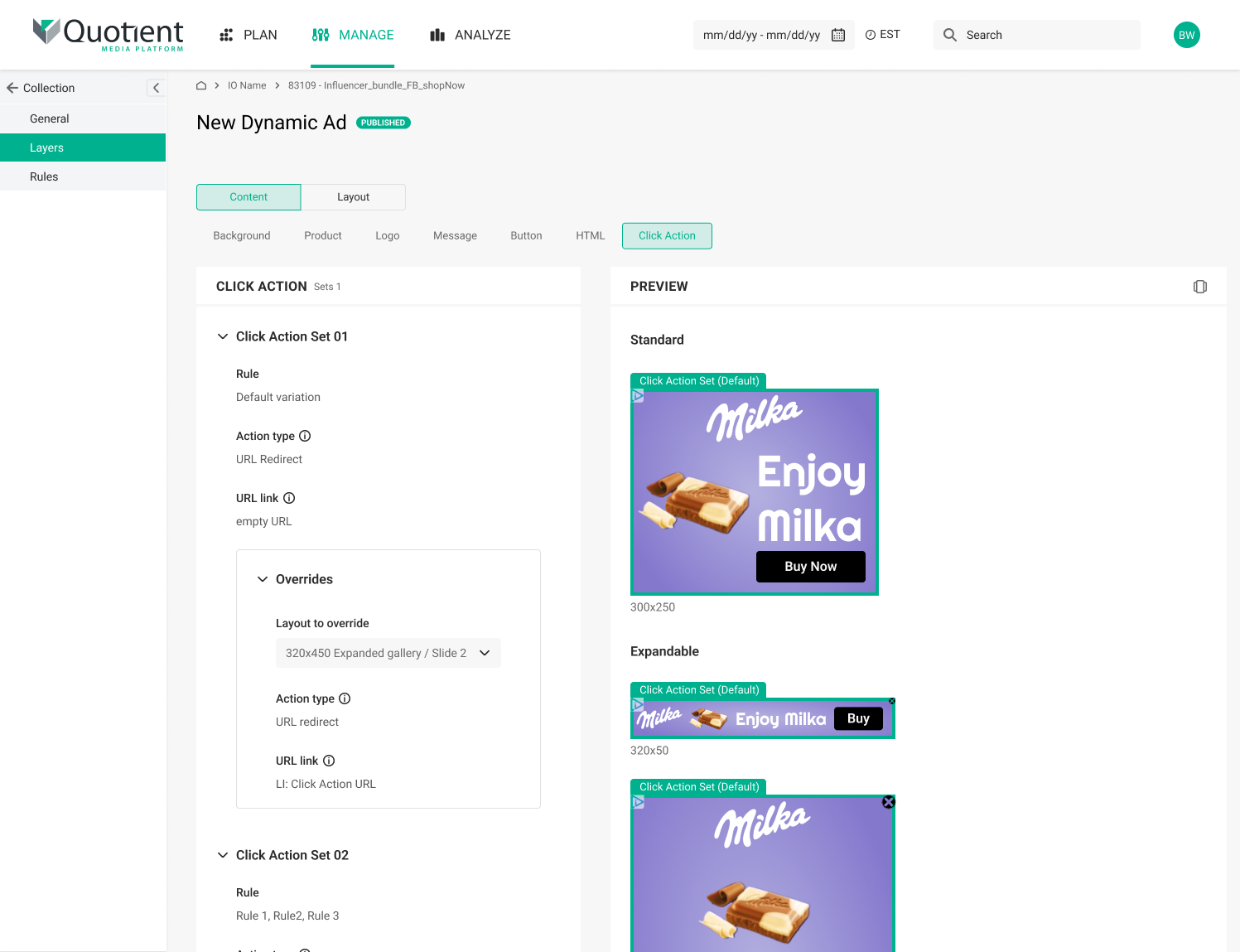
For each type of layer (background, image, text, button, Call to Action), I created screens with settings in a “read-only” state.
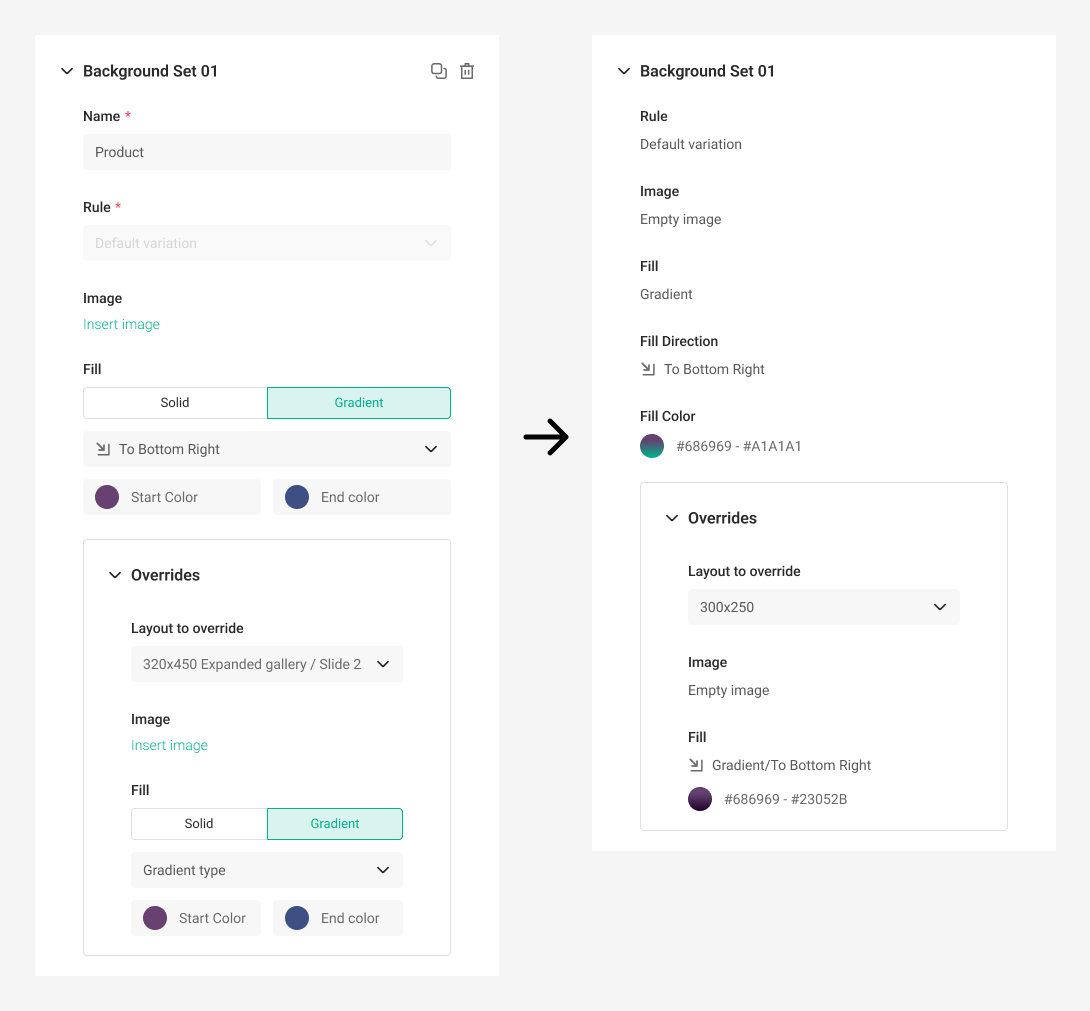
After encountering various challenges, I embarked on designing the new components.
As some of the data inputs didn’t have a “read-only” state in our design system, I prepared documentation for the development team on how to implement these elements from the Design System to our platform.
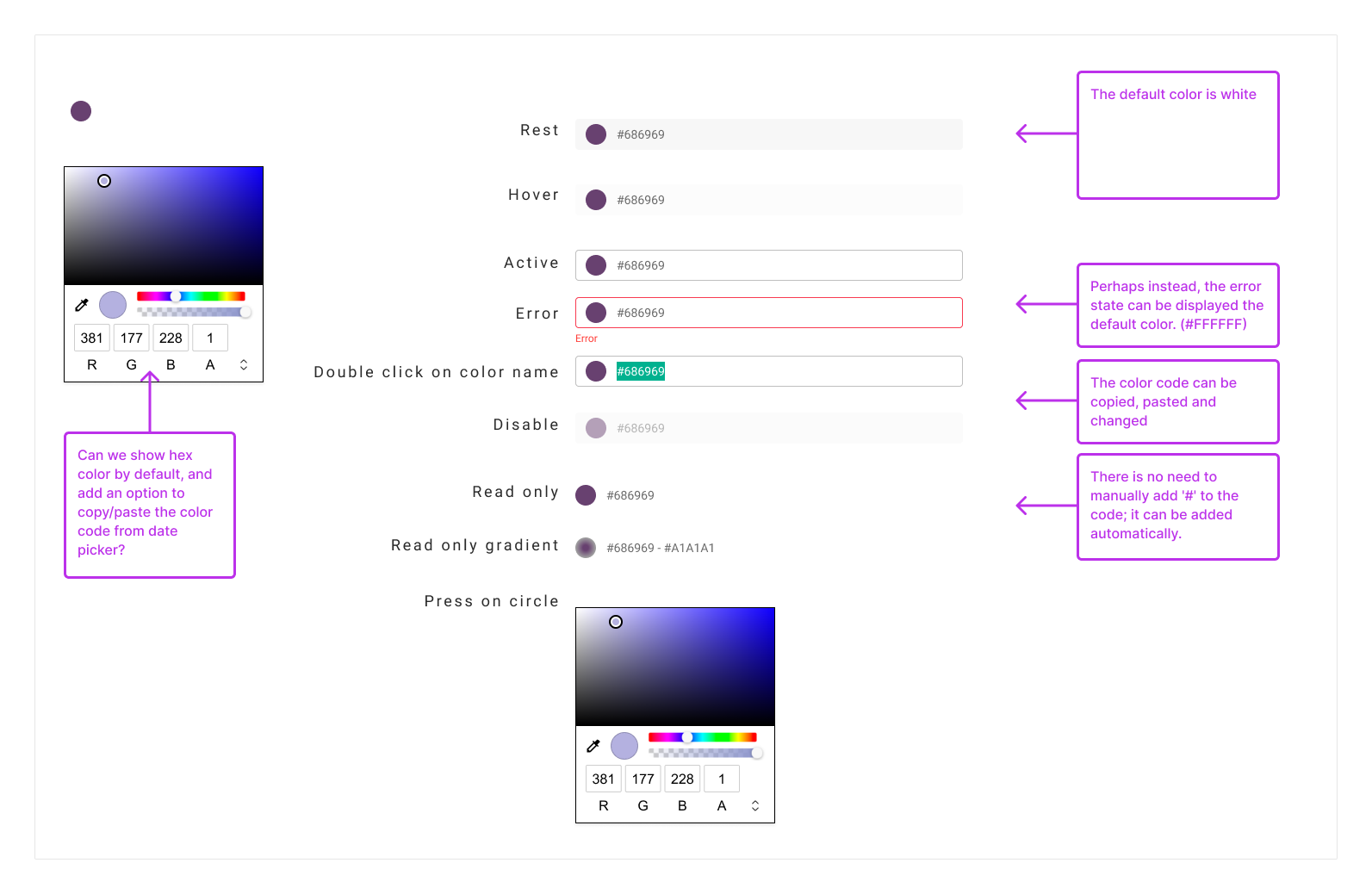
Validating the designs
Once I completed designing all the components, pages, and elements, and created HIRES mockups I conducted a thorough review of all the changes with the project manager (PM) and presented them to the DEV team. Subsequently, the project moved into the development phase.
These changes have had a significant impact on the system, streamlining workflows and reducing the time required for our users to complete their tasks.
The in-depth research allowed me to gain a deeper understanding of the work process and its impact across all stages, enabling me to identify and implement necessary changes effectively.