Layer Animations
Bringing animation into Creative Builder, so a client change no longer means repeating the same fix in an external tool across dozens of versions.
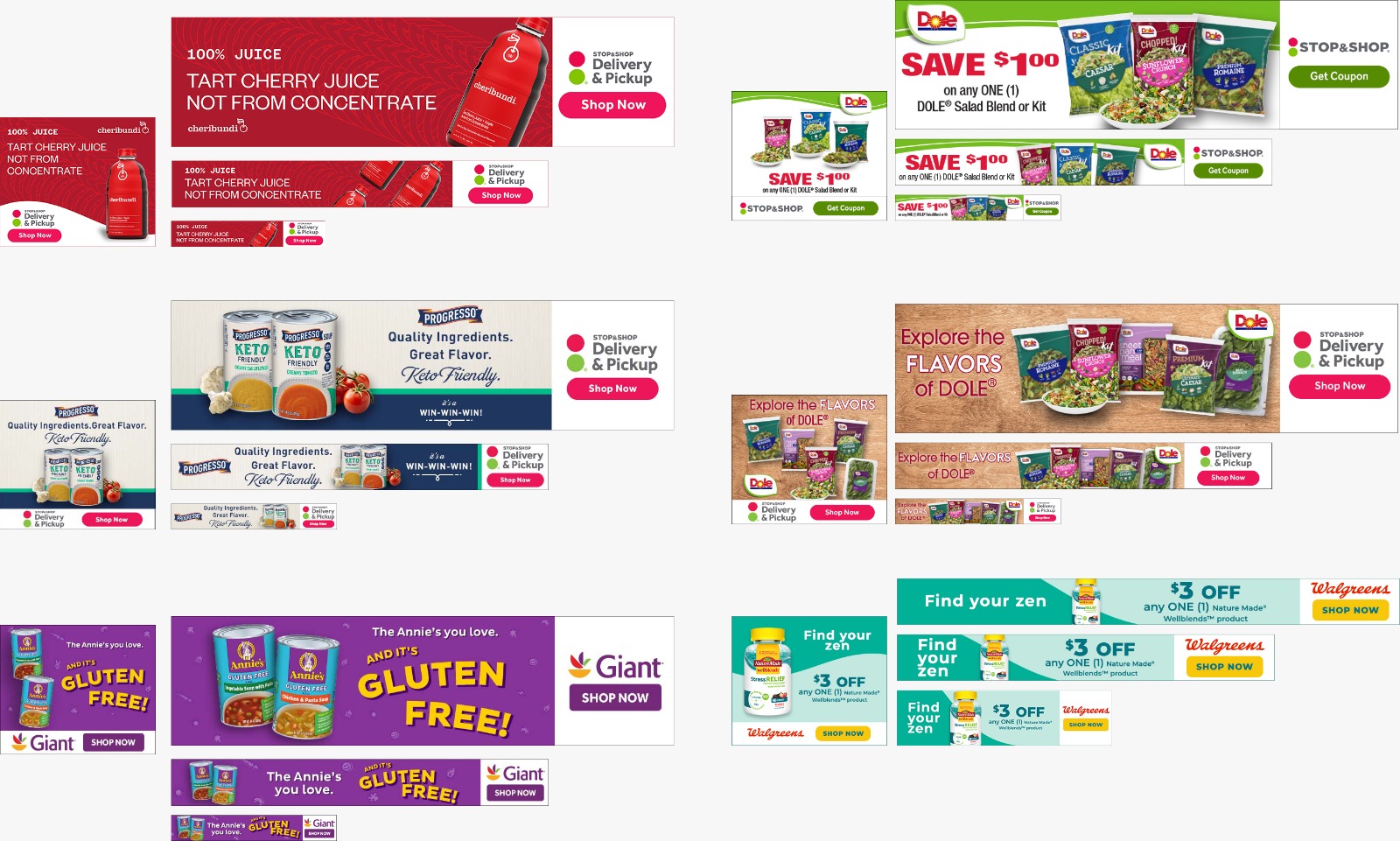
A client change meant opening Hype, repeating the fix across dozens of versions, exporting and uploading again.
The same change is made right in Creative Builder.
~70% of typical animated creatives are now built without external tools. The target was 75%.
Up to 20% shorter production time.UNCONFIRMED
The animation sidebar became a reusable pattern across the platform.
Creative Builder is part of the Quotient Media Platform. Creative teams use it to build ad campaigns for retailers: take a template, generate dozens of variations by size, copy and retailer logo, send them to the client for approval and publish.
Everything happened inside Creative Builder. Except animation.
Create a campaign from a template
Generate variations by size, copy and logo
Animate in Hype or Sencha
Export and upload back
I was the product designer on Creative Builder from before launch, so I knew the existing workflow and the limits of the system. On this feature I owned research, UX and UI, working with the PM and developers.
Creative Services team
In-house designers at Quotient. They build campaigns for retailers, often dozens of versions per campaign. Variations are made in Creative Builder, animation in Hype or Sencha. They are the ones who handle every round of client feedback.
Make client changes without leaving the platform.
Campaign planners
They plan campaigns in the same platform, but they are not designers. For them, animation had to work without any animation skills.
Simple controls that need no animation skills.
One client change, dozens of repeats
Animated HTML5 creatives were made outside the platform. So when a client asked to swap an image, a logo or a line of copy, the team had to:
Open the source project in Hype
Make the same change in every version
Export again and upload to the platform
And then do it all again after the next round of feedback.
Our creative services manager noticed that a campaign took us about twice as long as it took competitors. Research showed the main reason: a large share of our creatives were animated.
75%
Cover 75% of real cases.
The other 25% are complex or interactive creatives. We left them out on purpose: the point was not to rebuild Hype inside Creative Builder.
Animate inside the platform.
Select a layer, set an animation, see a preview. No external tools.
Make it usable for non-designers.
The design principle above applies to every screen.
Not the first attempt
The request came up earlier. My research showed it needed big changes to the system, so it was put on hold.
While we reworked the design system, I kept exploring a new Creative Builder: layers, layouts, drag and drop, and where animation could fit. Brainstorms with the team led to a concept: a separate sidebar for animation settings.
A year later the requirement came back. We still started from scratch with new requirements, but this time the platform was ready, and so was I.
Workshop with the creative team
The team walked me through their process, the tools they use, how they work with clients and where it hurts.
I needed the real stages of their work, not the ones from the spec.
The feedback loop above, and exactly which part of it happened outside the platform.
Analysis of real creatives
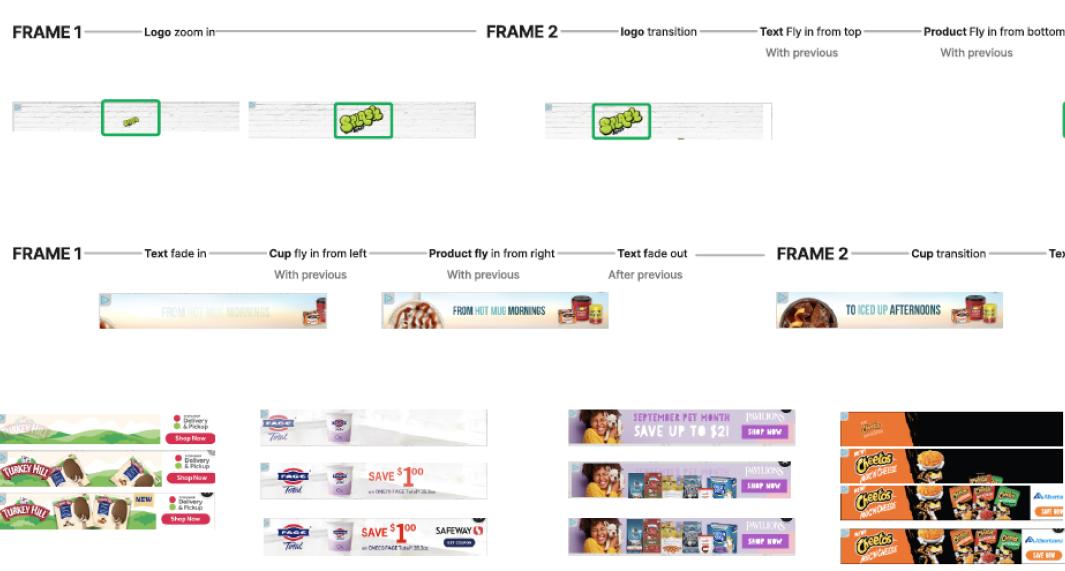
I collected the campaigns from the last two months, left out complex and interactive creatives and broke the rest down by animation type, transitions and order.
The feature had to cover the animations the team actually made, not an abstract list.
A list of animation types that went into the spec with the PM. I also paid special attention to the order of animations, which later became its own control in the UI.
Benchmark
I looked at pro tools like After Effects and Animate, simple ones like Canva and PowerPoint, and the tools the team already used.
The team asked for something like PowerPoint animations, so simple tools mattered as much as pro ones.
I studied standards and common patterns for animation, and how competitors and B2C platforms handle it. That gave me a set of intuitive solutions to build on.
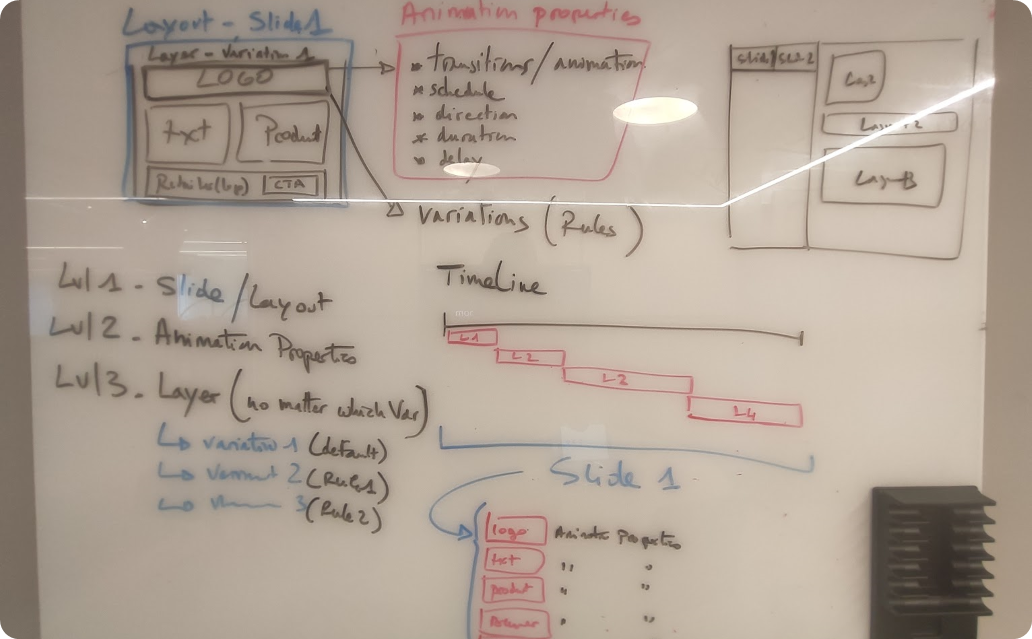
The analysis showed that order and timing between layers matter. A setting on a single layer can't control them, and that became one of the arguments for where animation should live.
Where does animation live?
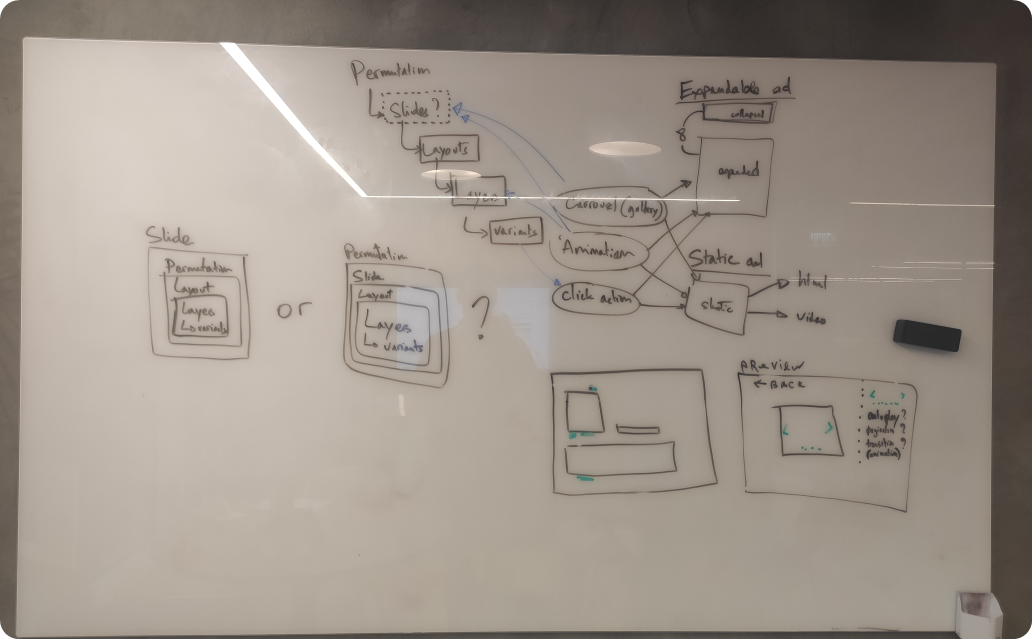
The existing Creative Builder worked more like a form with fields than a design tool. Before drawing any screens, we had to decide where animation belongs in the system.
Where animation sits in the architecture decides where its settings live and how the interface grows around it.
After a few brainstorms with the PM and designers, we agreed that animation didn't belong to either. It is its own thing with its own settings, and it acts on layers and layouts. So we made it a separate entity.
The cost was clear from the start: a separate entity needs its own place in the interface. That's where the sidebar came from.
From architecture to interface
Animation is a separate entity with its own settings.
A new page layout with a right sidebar where those settings live.
The sidebar was designed so other features could use it later without overloading the screen.
Since this changed the whole platform, not just Creative Builder, I brought it to the design team and PMs before going into detailed UI.
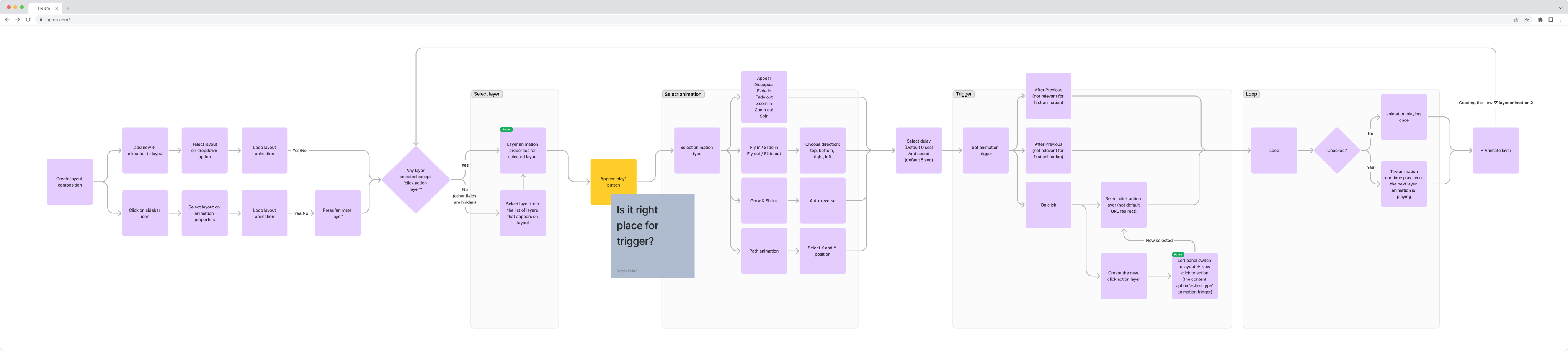
Flow
Feedback that changed the design
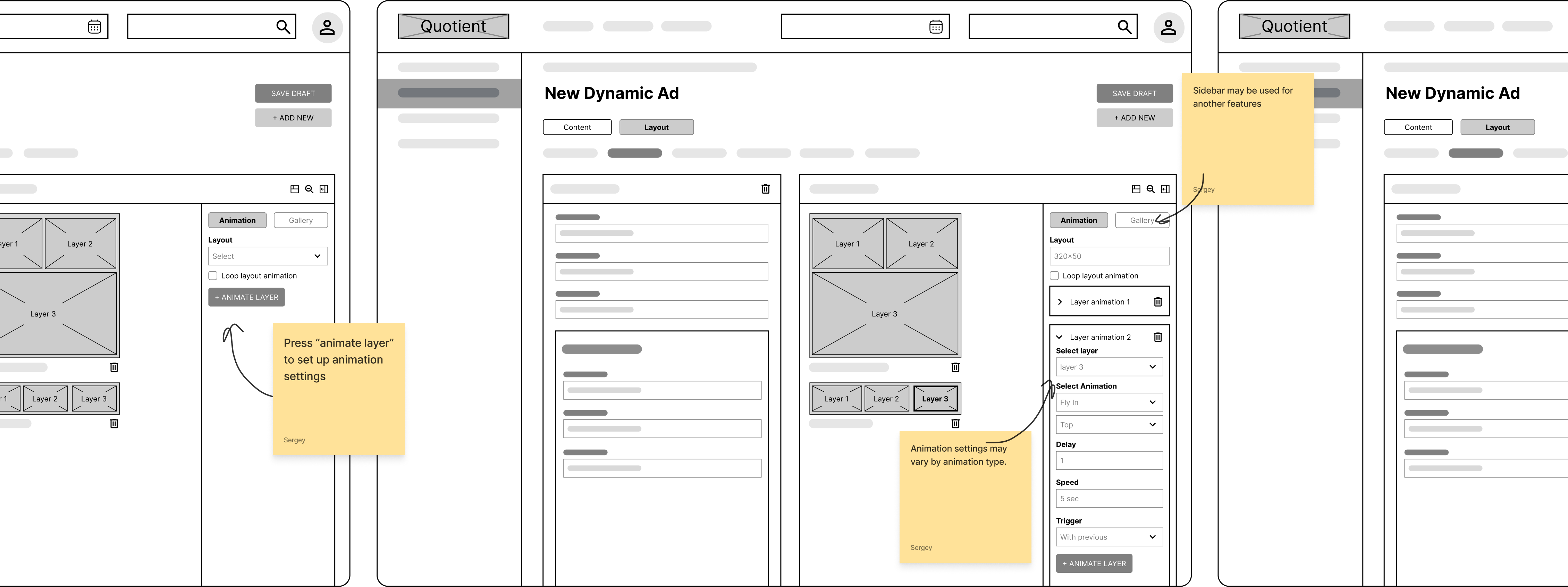
I reviewed the wireframes with the PM and developers. Two pieces of feedback changed the design.
One panel, different settings
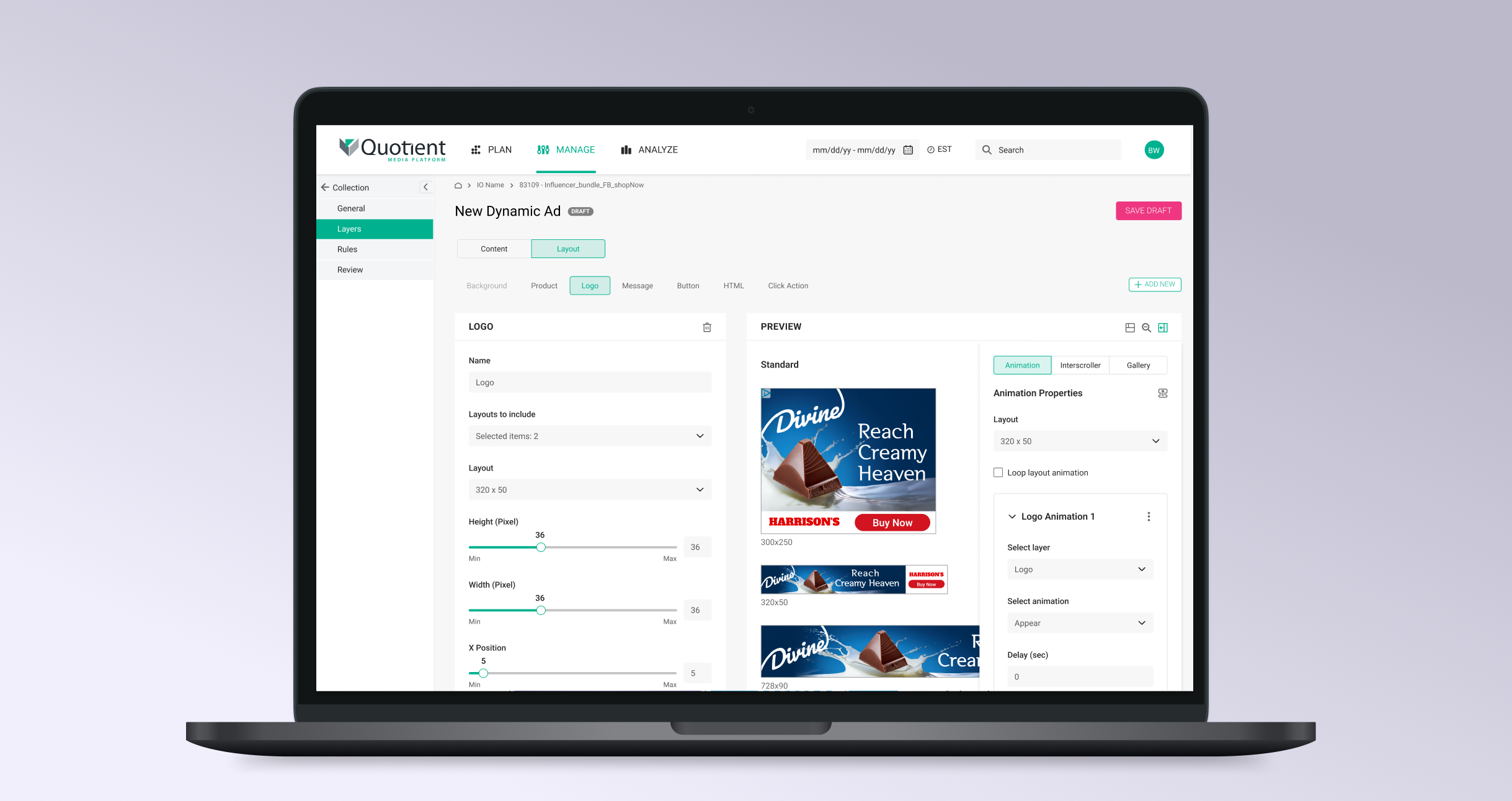
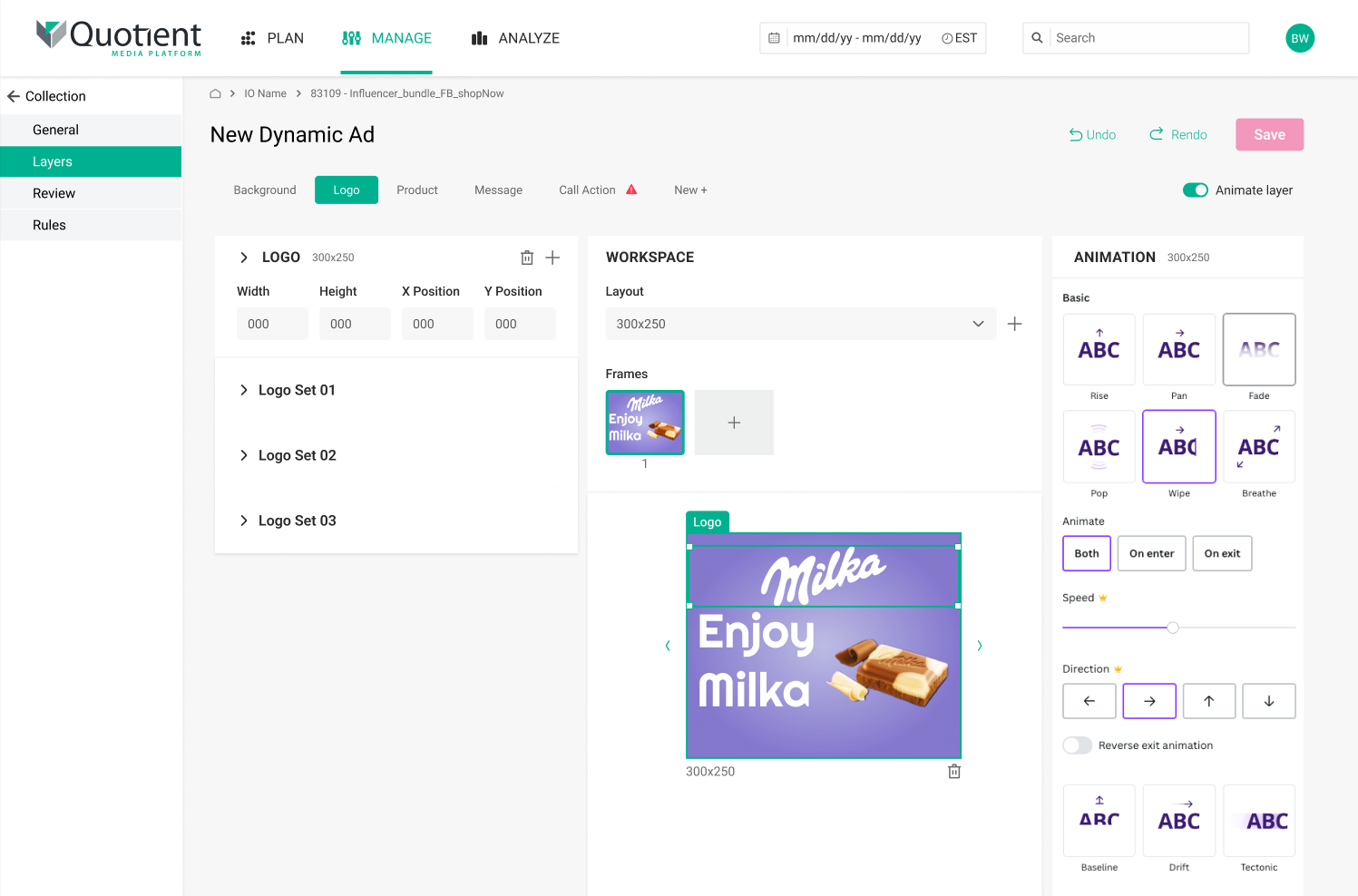
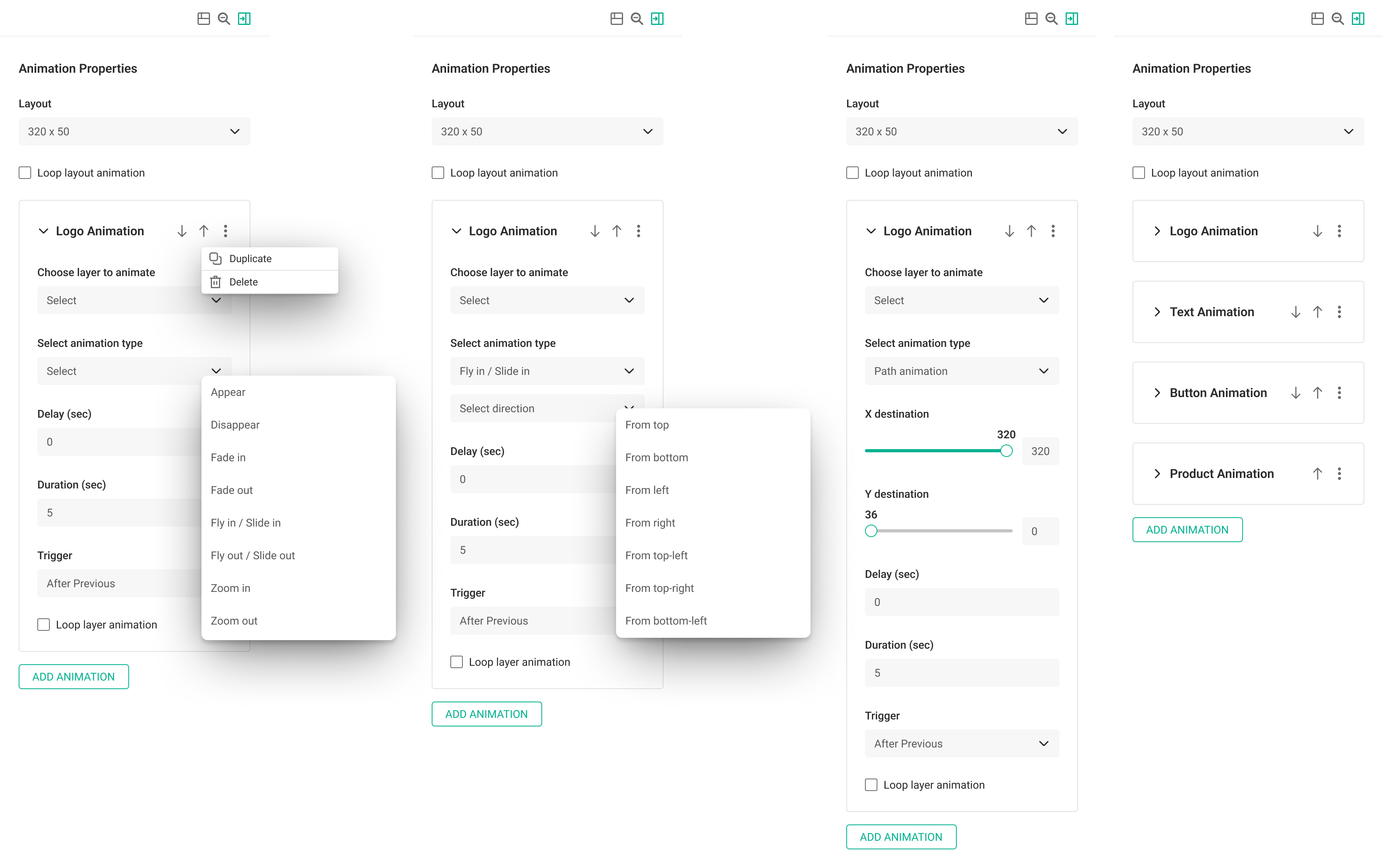
Next I designed versions of the sidebar for each animation type and each scenario from the user flow. The base stays the same for every animation: choose a layer, choose a type, set delay, duration and trigger. Some types add their own settings, like a direction for Fly in or X and Y coordinates for Path.
In the product
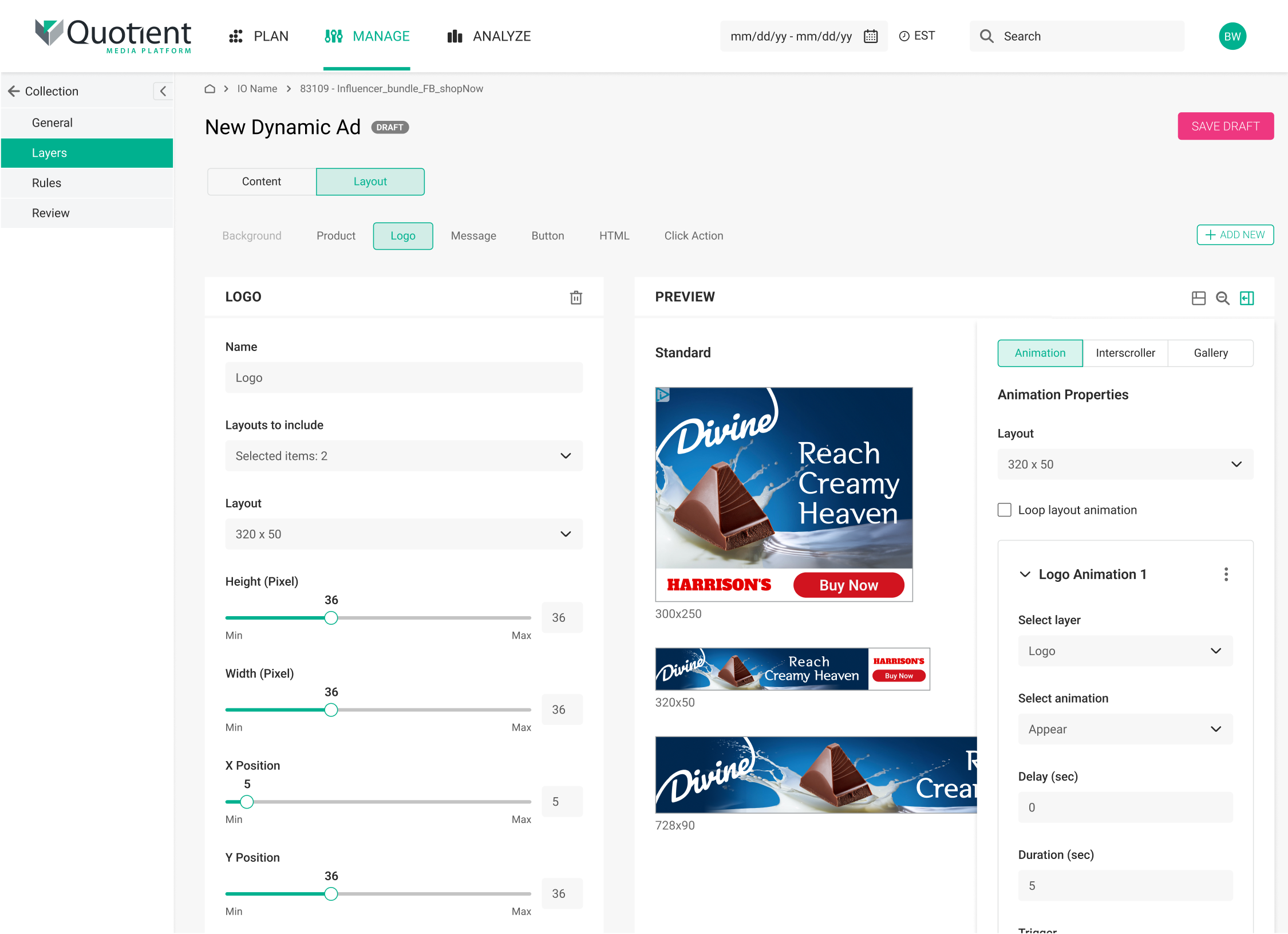
This is how it works in Creative Builder now. Layer settings on the left, preview in the middle, animation in the sidebar on the right. You edit a layer, set its animation and check the result on the same screen, without leaving the platform.
Prototype
I built a clickable prototype of the whole flow, from adding an animation to seeing it in the preview.
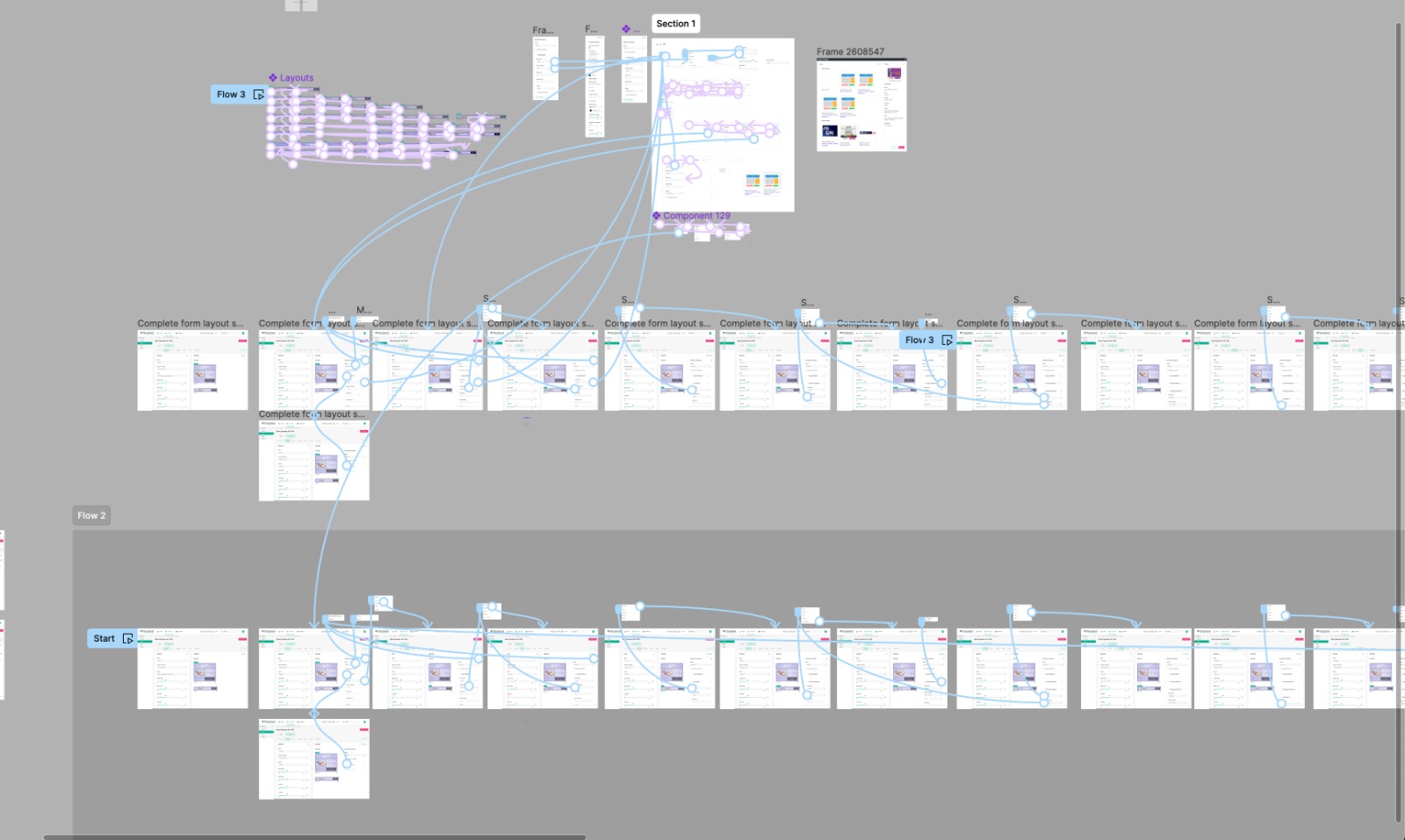
We reviewed the prototype with the in-house creative team and checked it against their typical work. It covered it, so the feature went into development.
~70%
of typical animated creatives are built without external tools.
- Client changes are made directly in Creative Builder.
- The feature became part of the creative team's regular process.
- Up to 20% shorter production time. UNCONFIRMED
- The sidebar became a reusable pattern across the platform.
Complex and interactive creatives still go through Hype. That was the plan from the start.
Not every team uses the feature.
Some animation settings were cut during development and moved to later.
Groundwork pays off later.
The feature was put on hold once. The exploration I did between the two rounds is why the second round had a clear direction.
Platform changes need buy-in early.
The sidebar changed more than one screen, so I aligned with the design team and PMs before the detailed UI, not after.